
Rule Engine
Automate IoT monitoring with flexible rules
Define rules that react to any sensor value: temperature excursions, humidity spikes, CO2 thresholds, water leaks, GPS geofences. Datacake evaluates conditions in real time and triggers notifications, webhooks or LoRaWAN downlinks automatically.
- Triggers: new measurements, offline devices, geofence zones, schedules
- Email, SMS and webhook actions with template variables
- Hysteresis, cooldowns and quiet hours to prevent alert fatigue
- LoRaWAN downlinks to a single device or a whole fleet
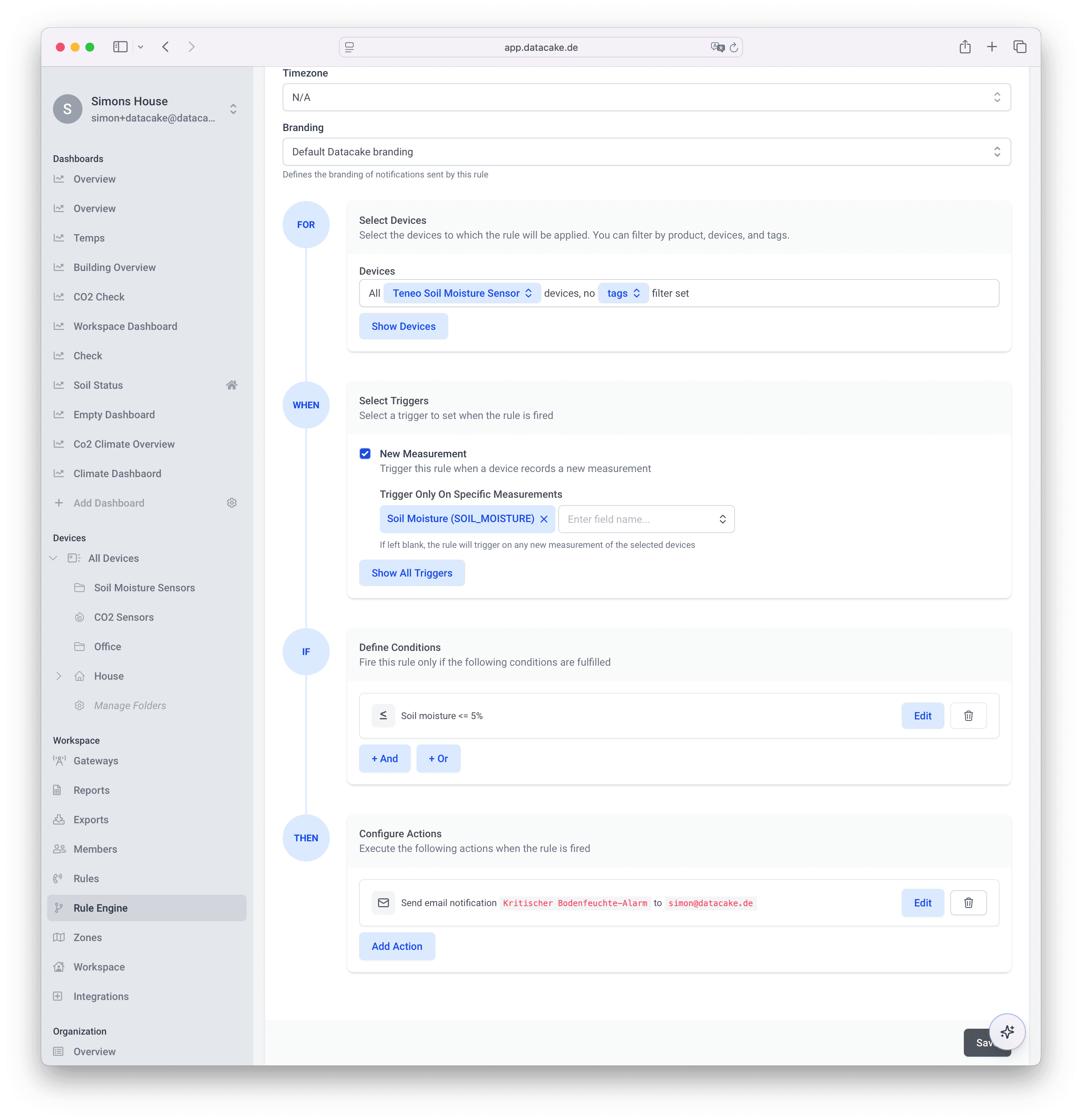
From raw sensor data to automated actions
The rule engine bridges the gap between collecting LoRaWAN sensor data and acting on it. Whether you alert a facility manager when a cold room drops below -18°C, log compliance events when humidity exceeds 60% RH, or send a downlink to close a valve when a water leak is detected, rules handle it without writing code.
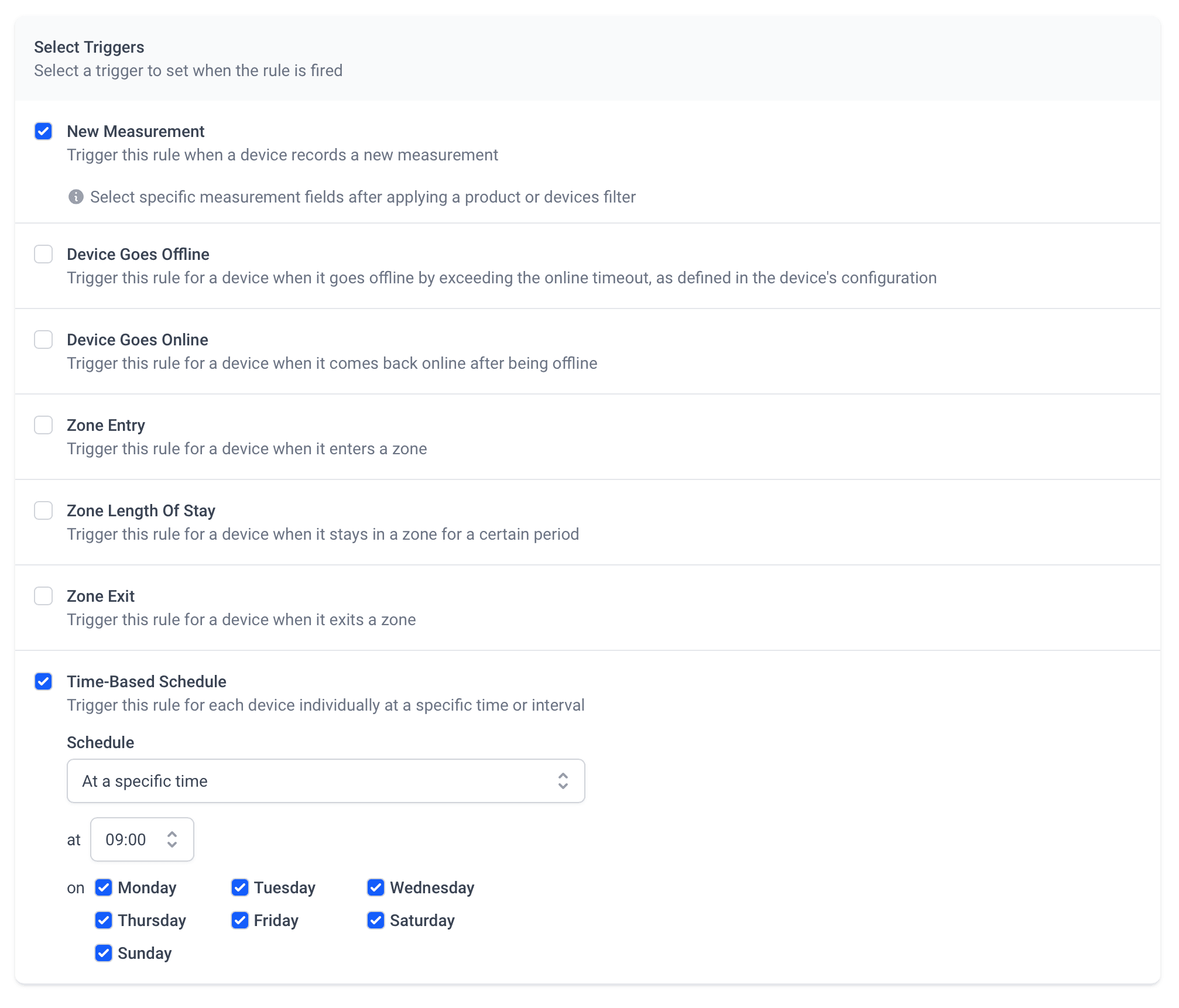
Triggers
Fire on new data, offline devices, geofences or schedules
Rules start from the events that matter to you. Trigger on every new measurement, when a device goes offline or comes back online, when a GPS tracker enters, exits or stays too long in a zone, or on a time-based schedule per device.
- New measurement: evaluate on every uplink, no polling
- Device offline / online: a built-in watchdog for your fleet
- Zone entry, exit and length-of-stay for GPS trackers
- Time-based schedules, from fixed weekday times to cron
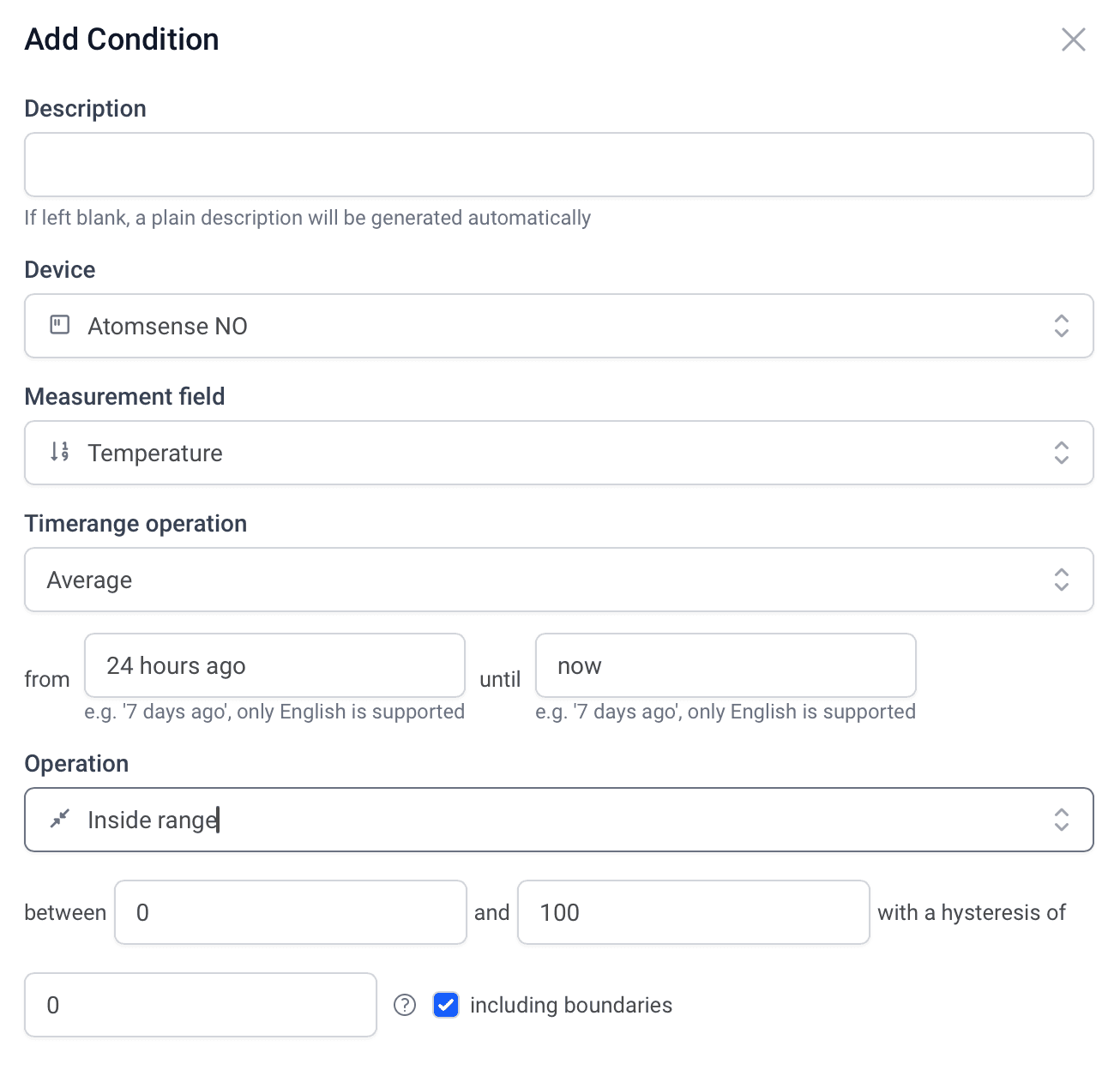
Conditions
Thresholds, ranges and time-window math
Build conditions on any measurement field: above, below, inside or outside a range, with hysteresis to prevent flapping. Conditions can also aggregate over a time window, e.g. 'average temperature from 24 hours ago until now', and combine with AND/OR logic.
- Inside/outside range with hysteresis and boundary control
- Time-window aggregates: average, min, max over any period
- Chain multiple conditions with AND/OR logic
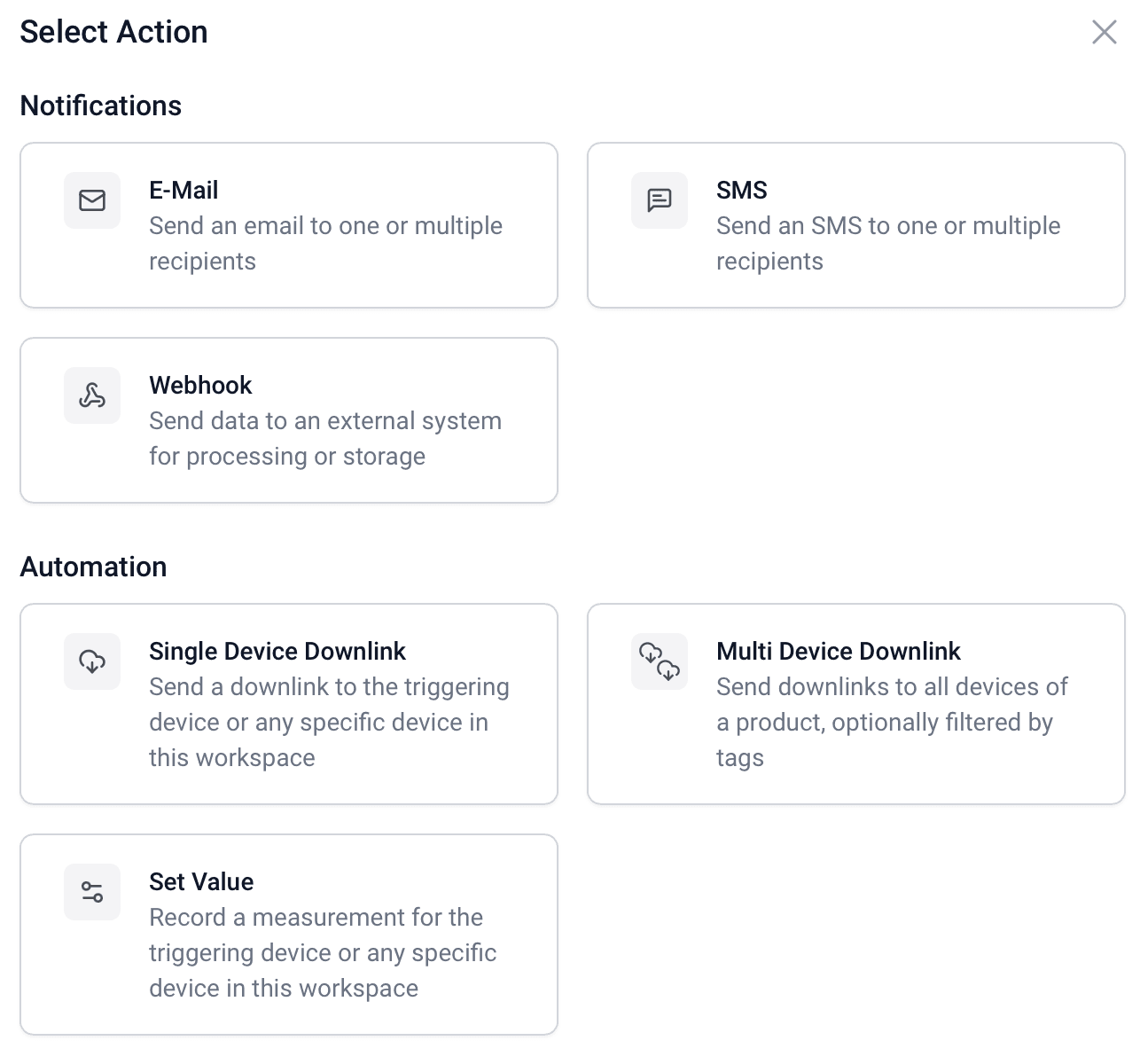
Actions
Notifications and automation from one action library
When a rule fires, pick what happens: send an email, SMS or webhook, push a LoRaWAN downlink to the triggering device or to every device of a product, or record a value back onto a device. Mix multiple actions in a single rule.
- Email, SMS and webhook notifications
- Single and multi device downlinks (multicast by product or tags)
- Set Value: write measurements back to any device
Complete event history for every rule
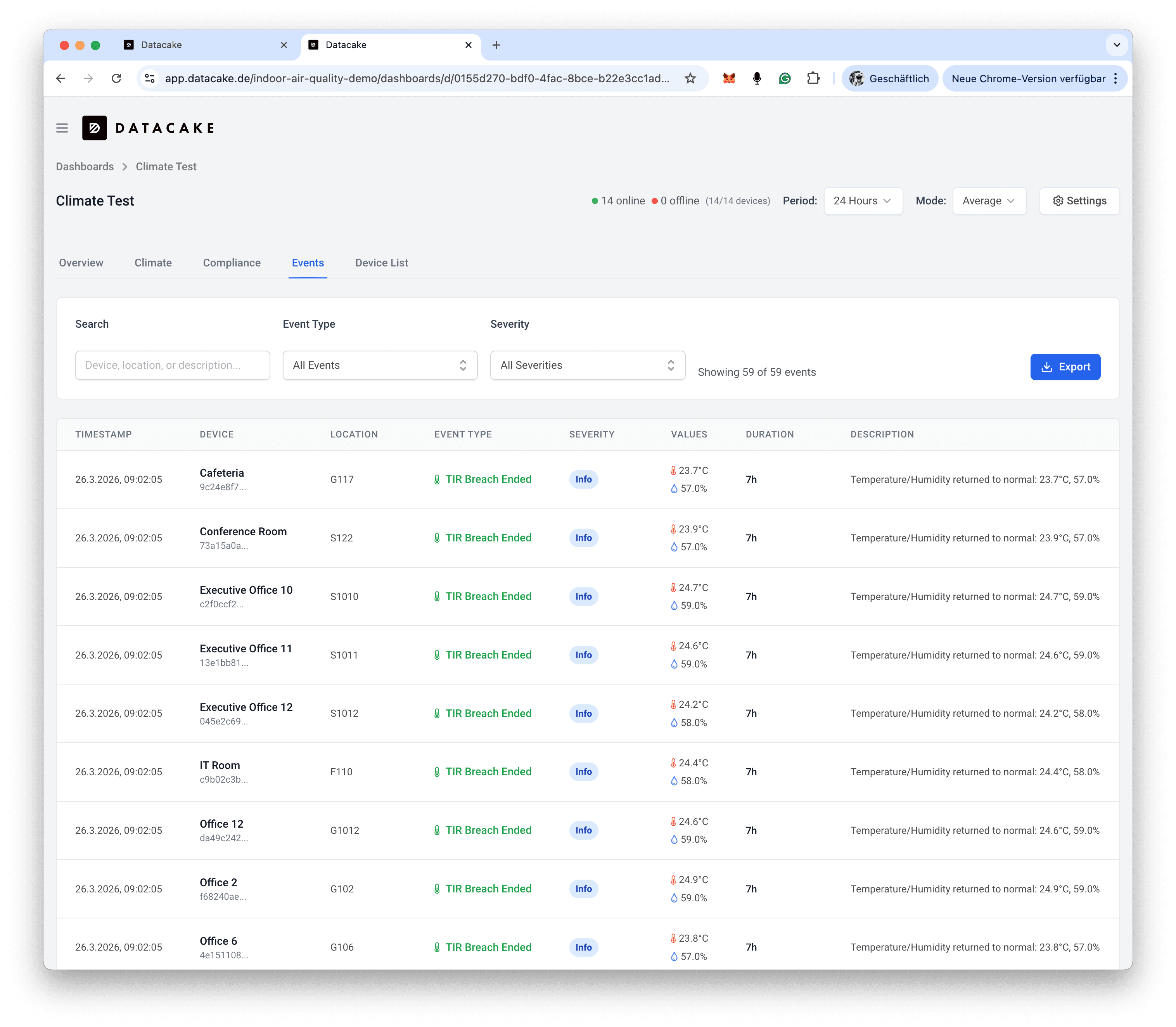
Every rule evaluation, alert trigger and recovery is logged with timestamps and context. Use the event log for compliance audits, root cause analysis or simply to understand how your environment behaves over time.
Message Templates
Notifications that say exactly what happened
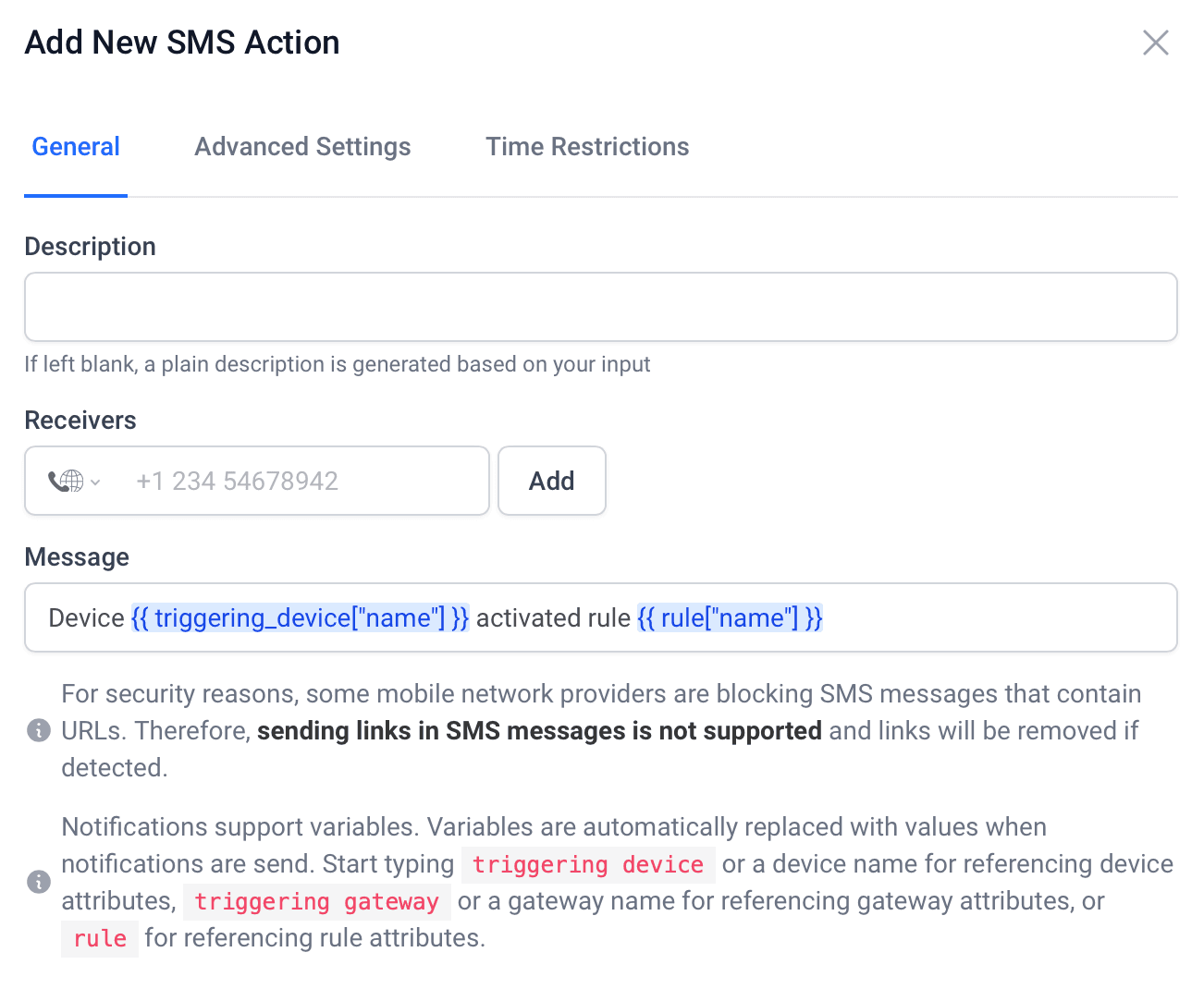
Email and SMS messages support template variables that are filled in when the rule fires: reference the triggering device, the gateway or the rule itself. Recipients see 'Fridge 3 in Berlin exceeded 8 °C', not a generic alarm.
- Variables for device, gateway and rule attributes
- Multiple recipients per action, international SMS
- Auto-generated descriptions if you leave them blank
Webhook Actions
Push alerts into any third-party tool or API
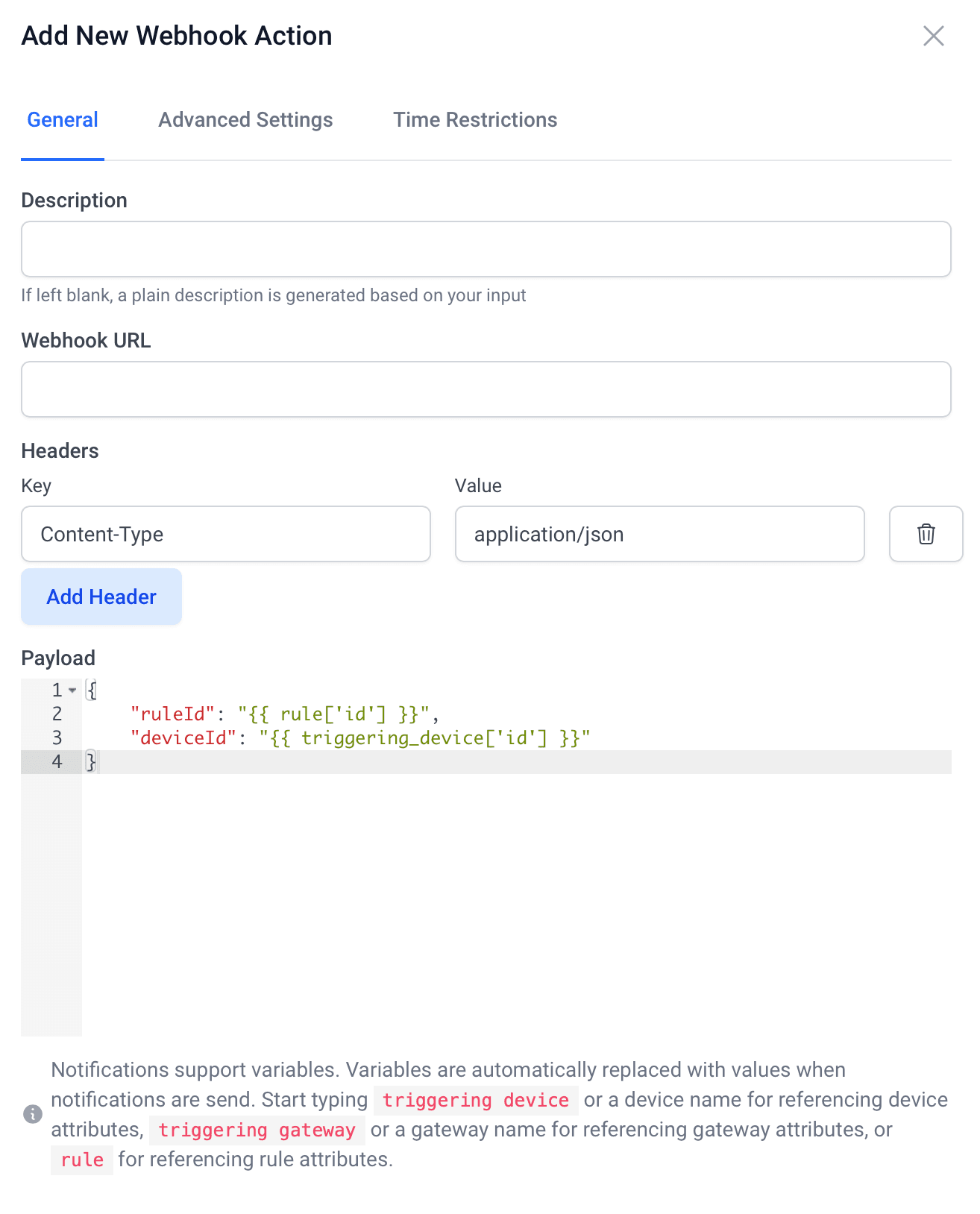
Webhook actions send fully customizable HTTP requests to any endpoint: Slack, Microsoft Teams, ticketing systems, BMS or your own backend. Define headers and craft the JSON payload with the same template variables as notifications.
- Custom headers and JSON payload templates
- Reference rule, device and gateway attributes in the payload
- Works with Slack, Teams, ticketing and custom APIs
Time Restrictions
Do-not-disturb windows for every action
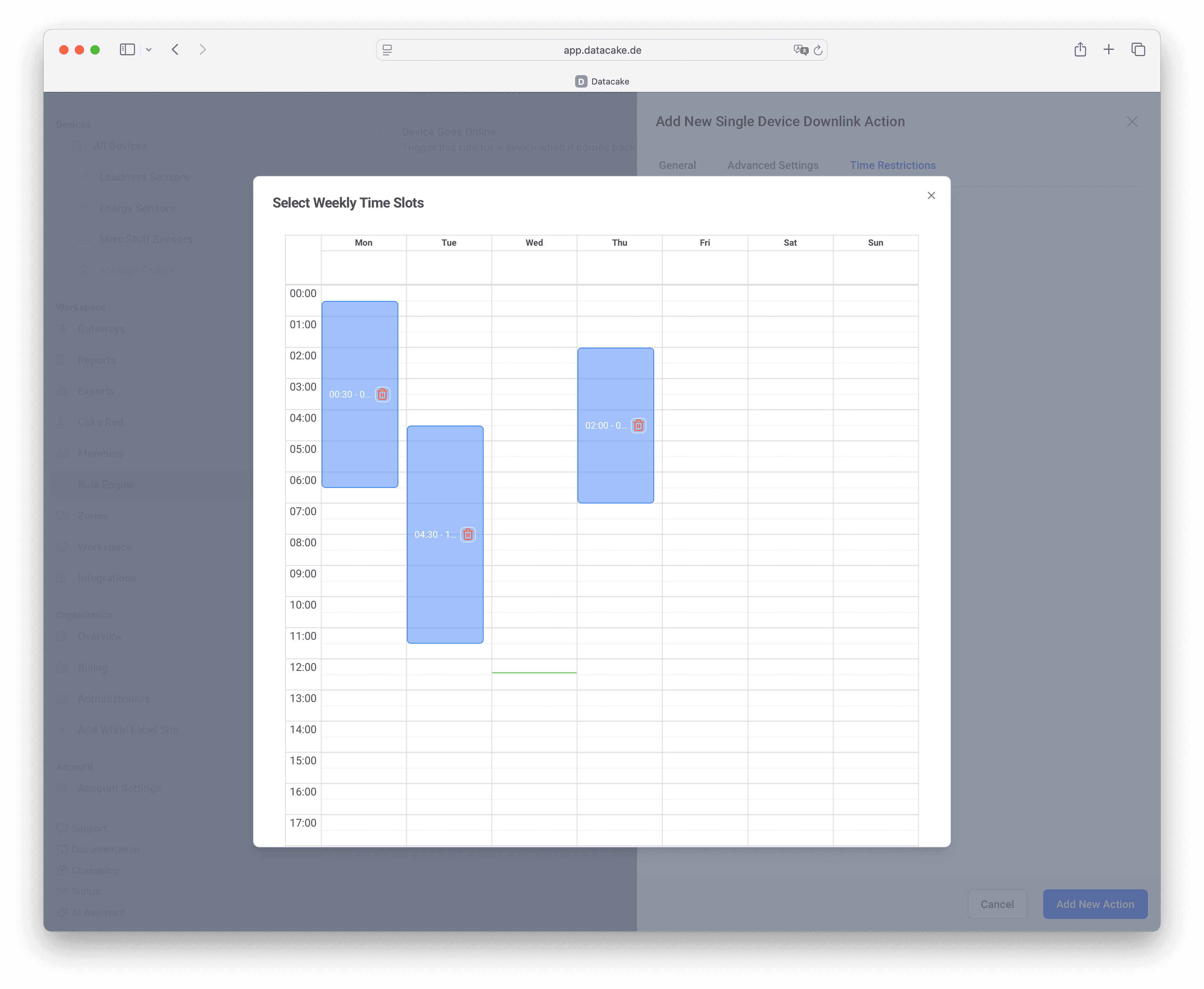
Not every alert should wake someone at 3 AM. Restrict each action to weekly time slots: send SMS only during on-call hours, route night-time events to a webhook instead, or pause downlinks while staff are on site.
- Per-action weekly time slots, drawn on a calendar
- Different channels for day, evening and night
- Combine with schedules for full quiet-hours control
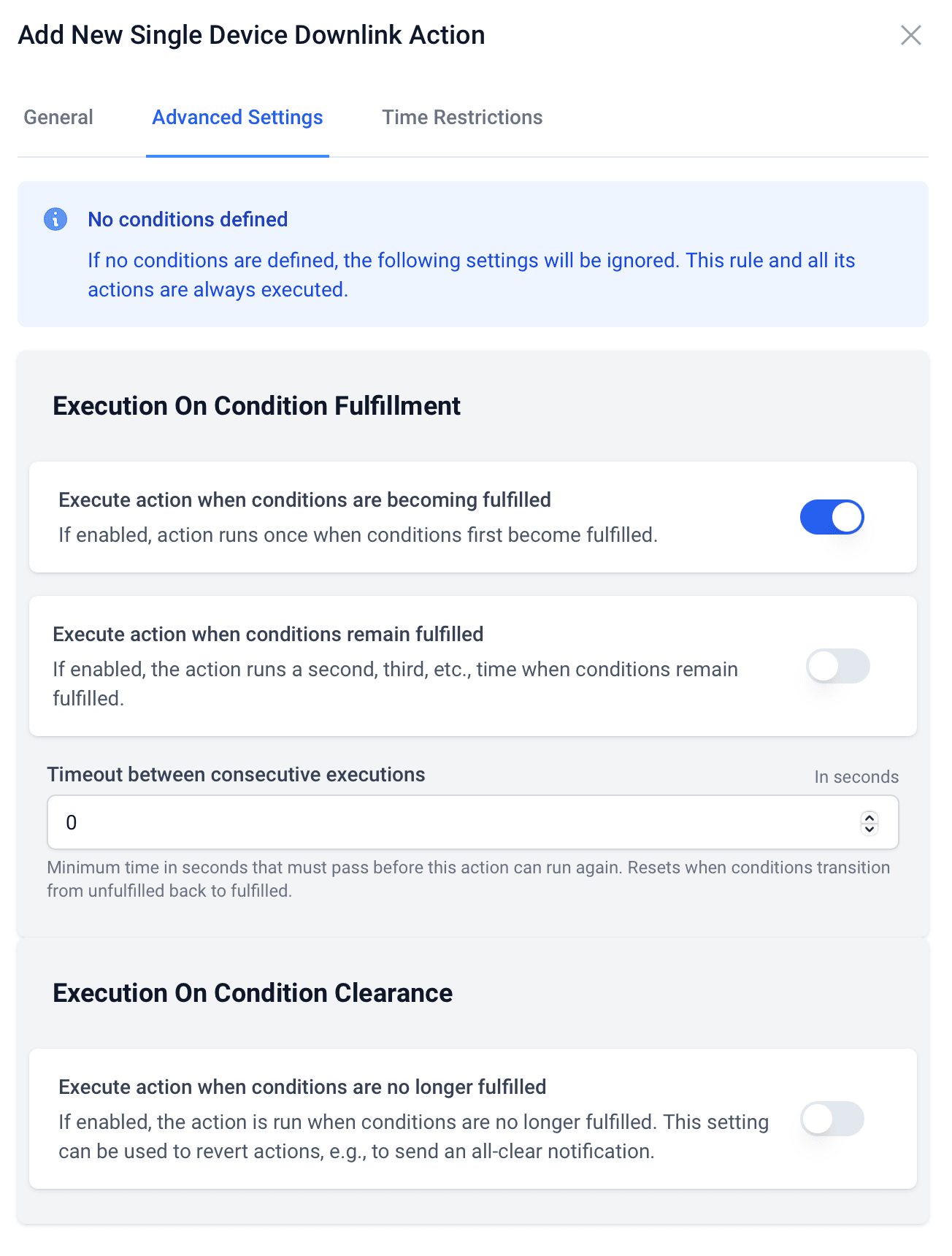
Execution Control
Decide when an action runs, and when it runs again
Fine-tune each action's behavior: run once when conditions become fulfilled, repeat while they remain fulfilled with a configurable timeout between executions, and optionally run again when conditions clear, perfect for all-clear notifications.
- Run on fulfillment, on repeat, or on clearance (all-clear)
- Cooldown timeout between consecutive executions
- Separate trigger and recovery notifications per action
Rule engine capabilities
Pre-built templates
Pre-built rule templates for temperature excursion, humidity drift, CO2 thresholds, water leak detection and GPS geofencing.
Real-Time Evaluation
Rules are evaluated on every uplink: no polling intervals, no delays.
Scales to 1000 Devices per Rule
Rules are defined at the product level: one rule monitors an entire fleet, not one device at a time.
Rules as JSON
Export any rule as JSON to copy it between workspaces, keep it as a template or modify it programmatically.
Audit Trail
Full event history for every rule: who was notified, when, and what the sensor values were.
No Code Required
Build rules through a visual editor. No scripting, no YAML, just configure and activate.
Rule Engine: frequently asked questions
Ready to get started?
Create your free account and start monitoring temperature, humidity and air quality in minutes, or book a demo to see how Datacake fits your use case.
Get in touch
We typically reply within one business day.